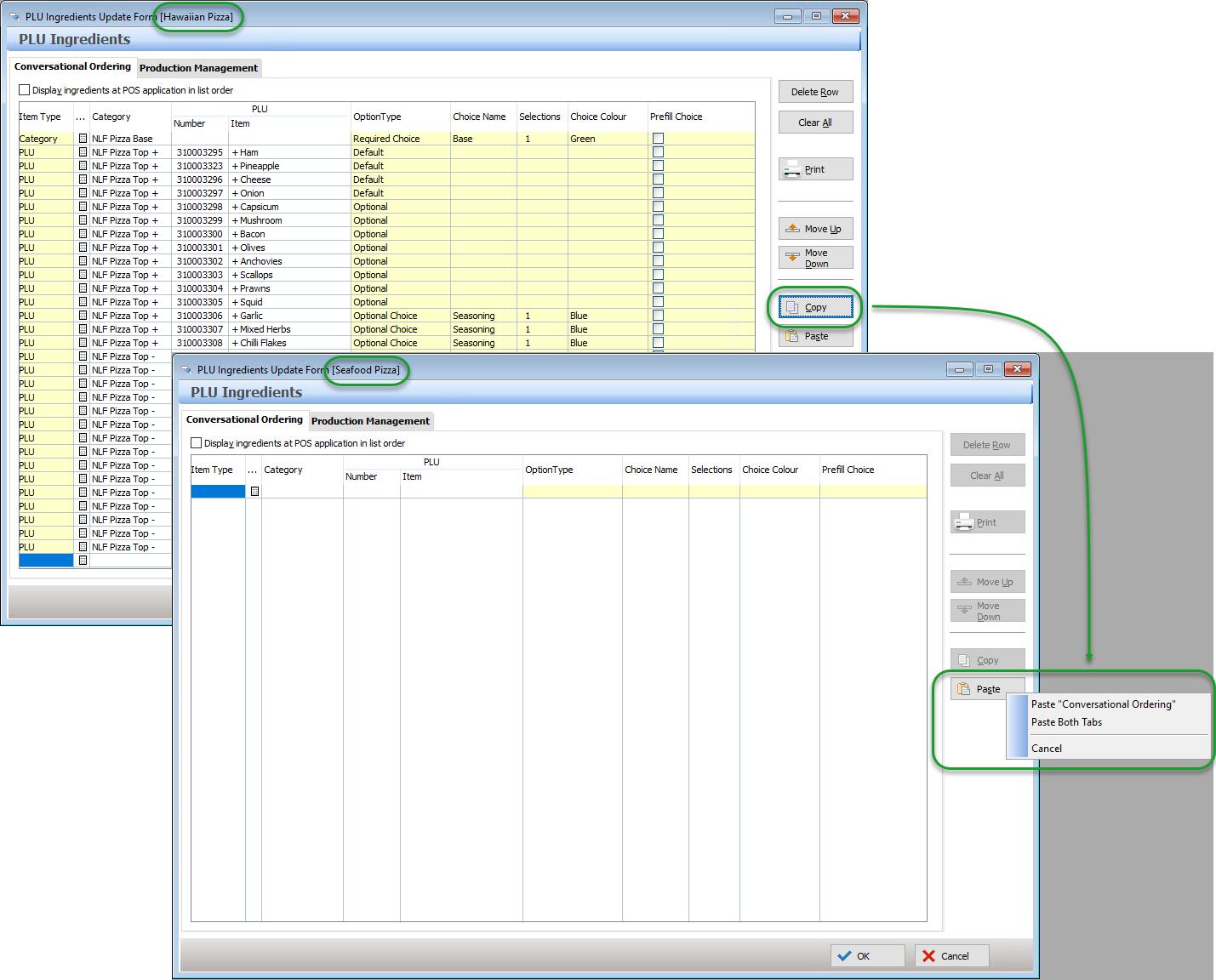
PLU Ingredient lists can be long and complicated and once one is successfully created it is often best to copy and paste the completed list to the next PLU with similar requirements. This can minimise programming time significantly and any changes to default ingredients or build order can then be adjusted.
The copy and paste function is available for the Conversational Ordering tab or the Conversational Ordering and Production Management tabs.
•Click on the Copy button in PLU Ingredients Update Form of the target Parent PLU.
•Click on the Paste button in PLU Ingredients Update Form of the destination Parent PLU.
•Choose to Paste “Conversional Ordering” or Paste Both Tabs.
In the example below, the Ingredient List programmed for Hawaiian Pizza is to be copied into the Seafood Pizza PLU.