Base Ingredients Setup
How to access:
In Polygon POS Management, go to Products, highlight Bill of Materials (BOM), select Base Ingredients
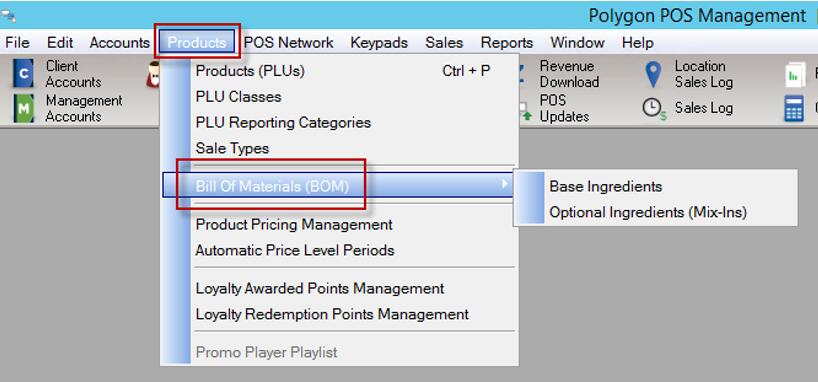
The base ingredients are printed at the bottom of the production docket. These are text only descriptions (ie. they are not tracked as products sold or stock items used).
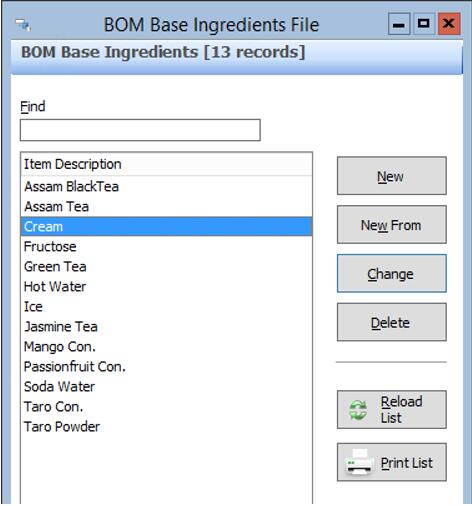
New – create a new Base Ingredient from scratch
New From – create a new Base Ingredient, copying the existing properties of the currently highlighted Base Ingredient
Change – edit the name or options of the selected Base Ingredient
Delete – the selected Base Ingredient may only be deleted if it has not been used in the configuration of any PLU
Base ingredients are configured with a list of options, entered as free text. These options become available in a drop-down selector when configuring the Bill of Materials matrix for a PLU. The Base Ingredient Options become the description of measure printed next to each Base Ingredient on the production docket.
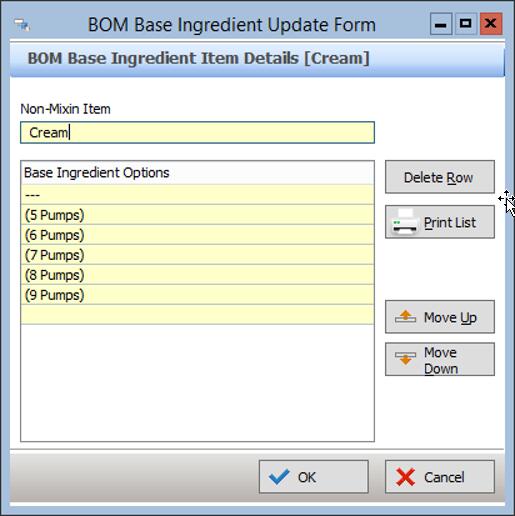
In this form, you can:
•Enter text into a new line to create each Option
•Highlight an Option and edit the text or press Delete Row to remove an option
•Highlight an option and use the Move Up / Move Down buttons to change the list order as required. This is the order that will be shown in the drop-down selector when configuring a PLU with this Base Ingredient.