Peripheral Roles are utilised to create configuration profiles to identify the peripherals in your POS Networks that provide the same function. They are only available to users with a Polygon POS installation at the store.
Peripheral Roles are configurable only in a HQ database, and will flow to Partner databases to be available for assignment on peripherals.

From Polygon POS Management, Select Products from the main menu and select Peripheral Roles.
|
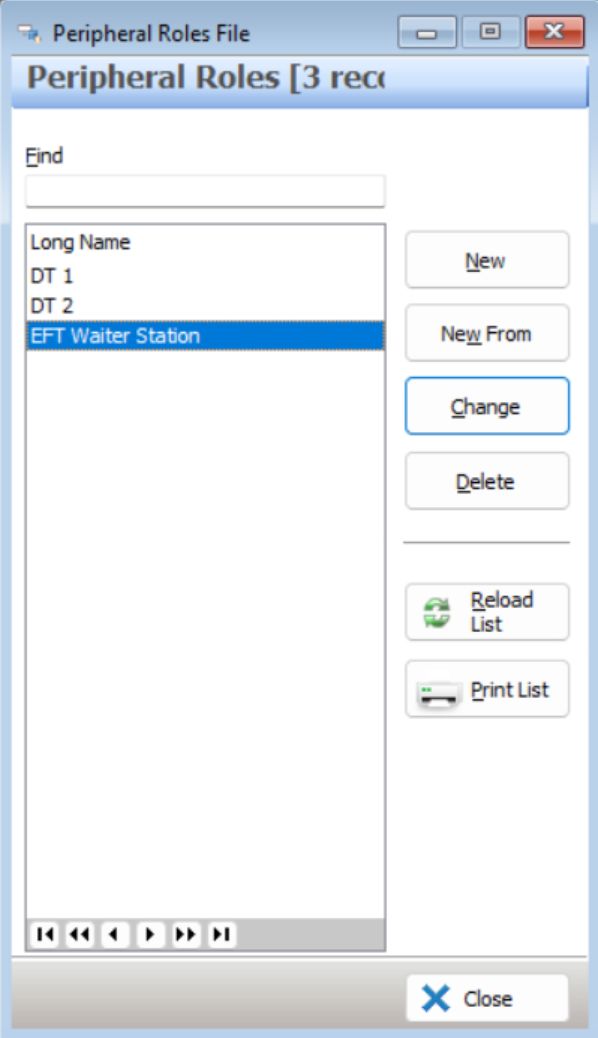
The following options are available from the Peripheral Roles File:
•To Create a New Peripheral Role - click on the New button to access the Peripheral Role Update Form.
•To Create a New Peripheral Role using an existing Peripheral Role as the base - highlight the require record and click on the New From button.
•To Edit a Peripheral Role - highlight the require record and click on the Change button.
•To Delete a Peripheral Role - highlight the require record and click the Delete button.
•Reload List - Clicking this button will refresh the displayed data and show any changes made by other users;
•To Print - Clicking on the Print List button generates a PDF report which shows the currently listed Peripheral Role. This report can be saved, printed or converted to CSV format;
See Also: