The POLYGON PAYROLL module reached end of life on 30 June 2021 and this was communicated to all clients licensed with this module.
This module is no longer supported.
Historical transactions may be accessed although entry of new payslips is no longer possible.
This file stores the names of the various Superannuation Funds to which you contribute on behalf of your employees. Employees can be linked to Superannuation Funds from the Polygon Payroll > Employee Details Form > Payroll Details Tab.

From Polygon Back Office, Select Payroll from the main menu and then select Superannuation Funds.
|
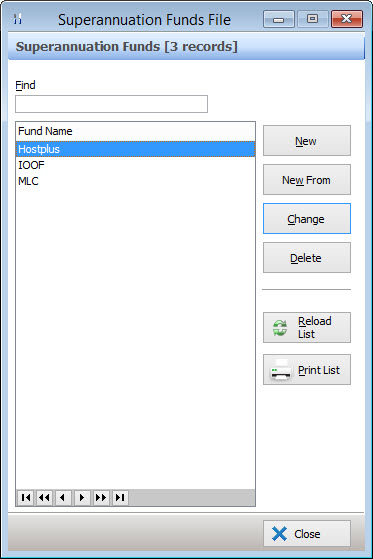
The following options are available from the Super Funds File:
•New - To add a new Superannuation Fund, click on the New button and enter the name and SPIN/ABN number for the new Superannuation Fund in the Superannuation Fund Details form;
•Change - To edit an existing Superannuation Fund, highlight the Super Fund, then click on the Change button this loads the Superannuation Fund Details form where you can make the desired changes;
•Delete - To remove an existing Superannuation Fund, highlight the super fund and then click on the Delete button. If an employee has been assigned to this super fund it will not be possible to delete the fund until the employee has been reassigned to another super fund;
•Reload List - This button is useful if you have a multi-user license where more than one user can access Polygon Back Office at a time. Click this button to update the list with any changes made by other users such as newly created or recently deleted items;
•Print - This button generates a printable PDF report which shows the Super Funds list currently shown in this file. This document can be saved, printed or converted into a CSV format;
•Find - To search for a super fund, type all of, or part of the fund name into the Find text box. The first super fund to contain this text will be selected.
See Also:
Getting Started with Polygon Payroll