Processing Client Receipts
The Invoice Receipts File lists receipts associated with a selected client invoice. It allows you to record, modify and remove client receipts for this invoice. If you are processing more than one of a given client's receipts, it may be quicker to use the Client Batch Receipts method. For individual payments use the methods described below.

From Polygon Back Office, Access the Clients File by clicking the Clients button on the toolbar, Select the appropriate Client and click the Client Transactions button, The Client Transactions File will be displayed, Highlight the Invoice which you wish to record a receipt for and then click the Receipt button.
If this is the first receipt for this invoice the Invoice Receipt Details form will be displayed. If a receipt has already been recorded, the Invoice Payments File (this form) will be displayed.
|
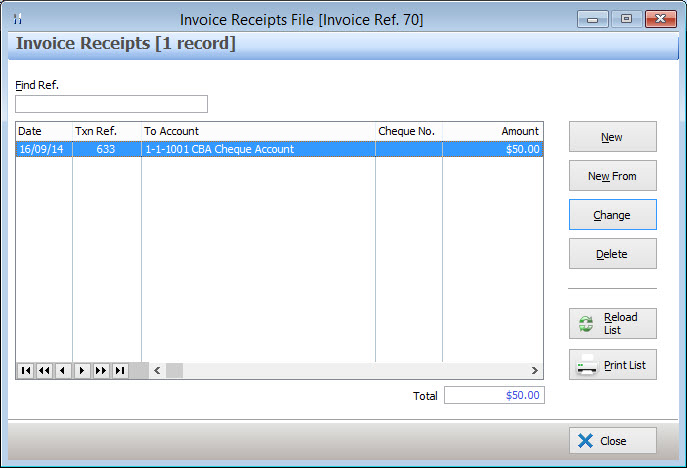
The following options are available from the Invoice Payments File:
•New - Click this button to record a new receipt using the Invoice Receipt Details form;
•Change - Highlight a payment and click Change to modify the highlighted payment using the Invoice Receipt Details form;
•Delete - Highlight a payment and click Delete to remove this payment;
•Find - To find a payment in the list of payments type the payment reference into the Find Ref box;
•Total - The total of all receipts associated with this invoice is calculated and displayed here;
•Reload List - This button is used in multi-user installations where multiple users may be entering data at the same time. Clicking this button will refresh the displayed data and show any changes made by other users;
•Print List - Clicking this button will generate a report showing the data currently displayed on the Invoice Payments file. This report can be printed, saved or converted to CSV format which can be loaded into spreadsheet programs.
See Also:
Polygon Back Office > Invoice Receipt Details
Polygon Back Office > Client Batch Receipt
Getting Started with Polygon Back Office
Polygon Back Office > Clients File
Polygon Back Office > Client Transactions File