Product keypads display items which are for sale e.g Coffee, and functions which effect the sale e.g. 10% Discount. Staff members use the product keypads to record customer orders at the FOH. The Product Keypads File lists all product keypads currently available and provides options to add, modify or remove product keypads from the BOH.

From Polygon POS Management, Select the Product Keypads icon from the toolbar, or, Select Keypads from the Main Menu and then select Product Keypads.
|

An enhancement for Polygon POS users to the keypads file means that you can now create graphical keypads and not be constrained to the standard grid keypad layout.
Graphical keypads are indicated like this: 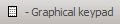
•To search for a particular Product Keypad - Use the Find Keypad Name field.
•To create a new Product Keypad - Click on the New button to access the Product Keypad Details form which allows you to create the keypad buttons for this product keypad.
Handy Hint: The New From button allows you to create another keypad that may be similar to a finished keypad, and can then be adjusted as needed rather than created from scratch. You can choose to ‘copy’ all of the keys from the original or just the system keys. This is useful for standardising the layout of each keypad. For Polygon POS users, if you highlight an existing standard grid keypad and select New From you may choose to create either a standard grid or graphical keypad from the selected record.
•To edit an existing Product Keypad - Highlight the keypad and then click on the Change button to access the Product Keypad Details form. This will display the product keypad buttons for editing.
•To delete an existing Product Keypad - Highlight the keypad and then click on the Delete button
•To print - Click on the Print button to print the Product Keypads File.
See Also:
Polygon POS Management > Product Keypad Details
Polygon POS Management > Keypads Overview
Getting Started with Polygon POS Management