This section describes day to day steps which are taken when using Polygon POS Management. Each step includes a link to more information about this topic. For information about configuring Polygon POS Management before first time use, see section Getting Started with Polygon POS Management.

In order to use Front of House (FOH) sales data to generate reports and (if you use the Polygon Inventory add on module) update stock quantities, sales data must be reset at the FOH and then loaded and processed into the Back of House (BOH). For information about resetting sales at the FOH see section FOH > Closing Procedure. For information about loading sales information into the BOH see section Polygon POS Management > POS Revenue Processing.
|
Records of sales data which has been reset at the FOH, and then loaded and processed at the BOH, is available in summary form from the Location Sales Log. See section Location Sales Log for more information about this topic.
|
When a master POS terminal is reset at the FOH a Z-Report summarising the trading session is printed. This information is also available from the BOH once the sales reset for that trading session has been loaded and processed at the BOH. See section Location Sales File Details for more information about viewing the Z-Report from the BOH.
|
Once sales resets have been loaded into the BOH, sales from the sales history can be reviewed from Polygon POS Management Sales Log. Details displayed include sale time, sale date, items sold and payment details. This information can be used to re-print tax invoices from the BOH. See section Sales Log for more information.
|
New PLUs When your business adds new items to its menus, the system needs to be reconfigured to include these items. Details for new products can be recorded from the Polygon POS Management > PLUs File. If new products require a new keypad category or reporting category, new categories can be added from the Polygon POS Management > Keypad Categories File and the Polygon POS Management > Reporting Categories File.
New Product Keypad Buttons Now that the new PLUs have been added to the system, they can be made available to POS staff for recording orders by adding product keypad buttons. See section Polygon POS Management > Product Keypads Details for more information about adding Product Keypad Buttons.
Category Printing Category printing allows you to tag which categories will be printed on each of the production printers when a sale is recorded. In other words, you determine which items will print at which printer. For example, you can tell the system to print the “White Wines” and “Red Wines” categories on the Bar printer and the “Mains” and “Warm Salads” on the kitchen printer. If you add a new keypad category to the system and want production dockets to be printed when items from this keypad category are purchased, category printing must be configured. See section Category Printing for instructions explaining how to setup production printing for new keypad categories.
Linking to Stock Items or Recipes If you use the Polygon Inventory add-on module and will be tracking perpetual stock quantities for stock items or recipes which are used when a PLU is purchased, the new PLU must be linked to it's related Stock Item or Recipe. See section PLU Item Details > Polygon Inventory Tab for more information about linking a PLU to a Stock Item or Recipe. See section Polygon Back Office > Polygon Inventory for more information about perpetual stock control.
|
From time to time you may wish to update product prices, if you are updating a small number of PLU prices, each item can be updated individually from the PLU Details form. If you will be updating a larger number of items the PLU Pricing Management form can be used to quickly update groups of PLUs at a time. See section Pricing and Loyalty Point Management for more information about updating groups of PLU prices. This section also covers management of loyalty points and redemption points which are used with customer loyalty cards.
|
If you wish to add new POS terminals, printers or other hardware, the new equipment can be added to the system from the POS Networks File. See section POS Network File for more information on this topic.
|
Once you have completed changes in the BOH such as adding new PLUs or changing POS Staff passwords, the updates must be sent to the FOH in order to apply the changes. See section Sending POS Network Updates for more information about sending POS Updates.
|
If you will be using the bundy clock feature to record POS staff shift start & finish times at the FOH, staff shift times should be periodically reset at the FOH. This will print a staff shift hours report on a FOH receipt printer and send the shift start and finish times to the Polygon POS Management BOH. Once the time and attendance file has been reset, it is ready to load into the BOH database. This will make the staff shift times available to the BOH timesheet related reports. See section Loading Timesheet Resets for more information about loading timesheet data into the BOH.
|
|
Database backups are important because they help to protect your data in the case of system failures and viruses. Redcat has a built in backup feature which, when enabled, prompts users to backup the database when exiting the BOH software. Backups can be saved to the BOH hard drive or to an external disk. External disks provide additional security because if the BOH hard drive fails the data is still recoverable from the external disk. Backups can be enabled/disabled from the application settings. Backup modes are setup from the Polygon POS Management > Application Settings > General - Backup form click this link to read more about backup settings.
It is also recommended that at least once a month, using Microsoft backup or some other commercial backup software, you carry out a full backup on floppy disk or tape of the ‘RedCat’ directory including all sub-directories and files.
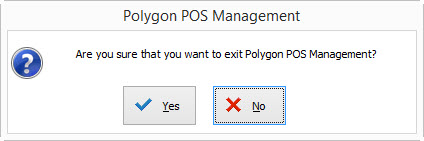
When you enable a back-up mode, your exit function from Polygon POS Management will change to include a backup and exit option.
Choosing ‘Backup & Exit’ will invoke the Back Up & Restore path that you have chosen. If you have set Back Up to ‘Other’, you will need to specify the folder you want to save the backup file to. For example, click on the browse folder button next to Backup Archive Name (see below) and select the drive of a removable disk such as a USB thumb drive. Click OK to begin the backup process.
|
Polygon POS Management, Polygon Back Office and other add on modules provide a large range of reports which provide you with all the information you need to run your business more efficiently. See section Reports > Polygon POS Management for more information about the reports available from Polygon POS Management.
|
See Also:
Polygon Back Office Introduction
Polygon Inventory Introduction