Paperless Kitchen Sale Type Modes are utilised to create 'profiles' for use with your Paperless Kitchen network. They are only available to users with a Polygon POS installation at the store.
A profile is created by assigning specific sale types to KMS Roles. You can choose to mark individual roles as not in use, or disabled. In this way, you can program how which KMS Roles should be active, and what Sale Types are to be filtered for each Role when the profile is applied.
This is particularly useful as it will allow a section of a kitchen to be closed down during slower periods, and enabled again during peak times.

From Polygon POS Management, Select Products from the main menu and select Paperless Kitchen Sale Type Modes.
|
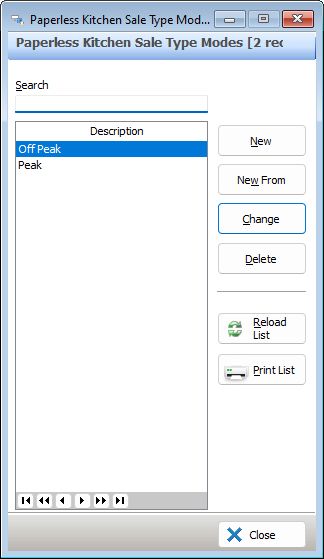
The following options are available from the Paperless Kitchen Sale Type Modes File:
•To Create a New Sale Type Mode - click on the New button to access the Paperless Kitchen Sale Type Mode Details form.
•To Create a New Sale Type Mode using an existing Sale Type Mode as the base - highlight the require record and click on the New From button.
•To Edit a Sale Type Mode - highlight the require record and click on the Change button.
•To Delete a Sale Type Mode - highlight the require record and click the Delete button.
•Reload List - Clicking this button will refresh the displayed data and show any changes made by other users;
•To Print - Clicking on the Print button generates a PDF report which shows the currently listed Sale Type Modes. This report can be saved, printed or converted to CSV format;
See Also:
POS Network File - POS Peripheral Details - Intelligent Production Display