POS Terminals can use some peripherals (Receipt Printers, Production Printers and Production Displays) which have been added other POS Terminals.
To do this:
•From Polygon POS Management,
•Access the POS Network File by clicking the POS Network button on the toolbar,
•Select the POS Terminal  which will also be using the shared peripheral (That is the terminal which will be using the peripheral but has not been associated with it yet)
•Click the New button, then select Peripheral,
•This will load the POS Peripherals form,
•Select the Device Type you wish to access,
•From the Ports list, select Network,
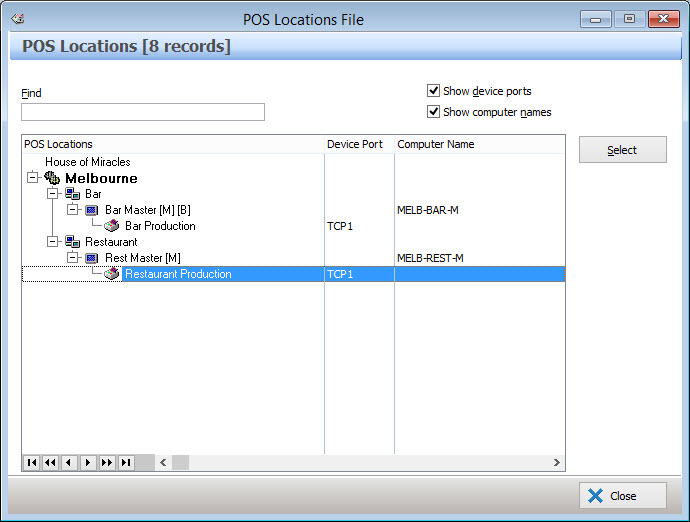
•This will display a POS Locations File which lists the peripherals of the selected Device Type, which belong to other POS Terminals at this location.
•Select the peripheral you wish to share and click Select.
•You will be returned to the POS Peripheral Details form. Click OK to add the shared device to this location.
This process can be repeated for numerous POS Peripherals.
See Also:
Polygon POS Management > POS Peripherals > Receipt Printer
Polygon POS Management > POS Peripherals > Production Printer
Polygon POS Management > POS Peripherals > Production Display
Polygon POS Management > POS Network File
Getting Started with Polygon POS Management