The POS Terminal Bundy Clock records staff clock on/off times and which can be sent to the BOH and used to generate timesheets and calculate staff productivity information. This section documents how to record staff shift clock on and clock off times. If you have purchased the Polygon Payroll add-on module many payroll related features are also available.
Staff members can record their shift start and finish times by entering their POS Staff password after clicking the Clock On/Off button on the POS terminal logon screen.
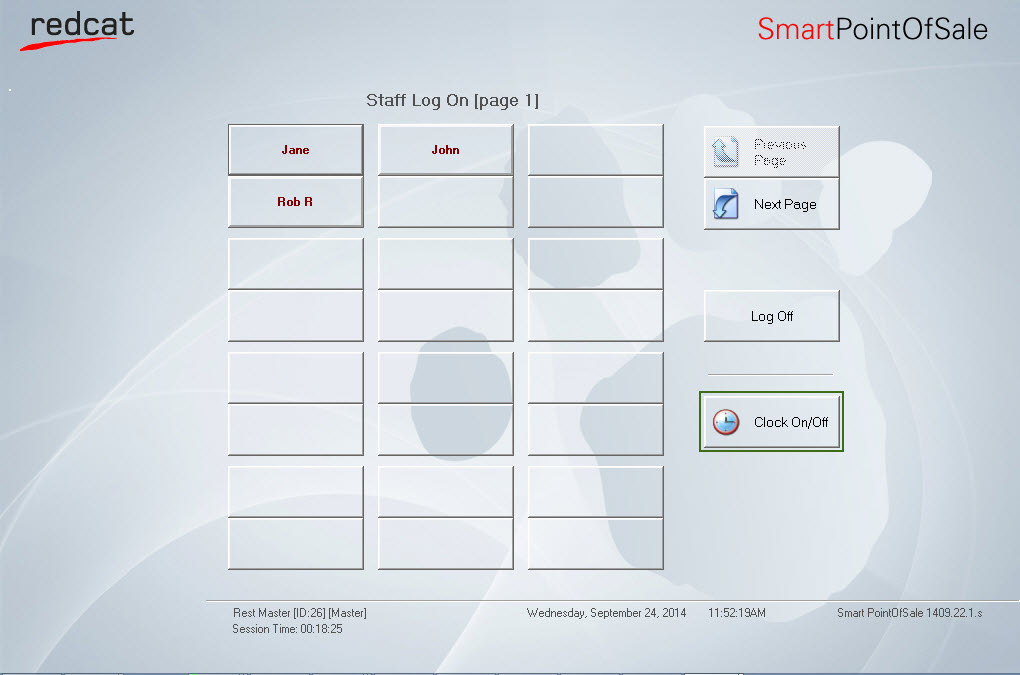
Staff Logon Screen

Staff members can clock on and record their shift start times by following these steps: •From the Front of House logon screen; •Click on the Clock On/Off button; •Enter their password; •Click on Clock On button; •Press OK to confirm; The shift start date and time recorded will be the current date and time on the POS terminal.
|

Staff members can clock on and record their shift start times by following these steps: •From the Front of House logon screen •Click on the Clock On/Off button; •Enter their password; •Click on Clock Off option; •Press OK to confirm. The shift finish date and time recorded will be the current date and time on the POS terminal.
|

Staff members can their shift start and finish times by following these steps: •From the FOH Logon Screen; •Click on the Clock On/Off button; •Enter their password; •Click on View Shift button; •A list of this staff member's shifts will be shown; Note: When the time and attendance file is reset, this list of shifts will be cleared.
|
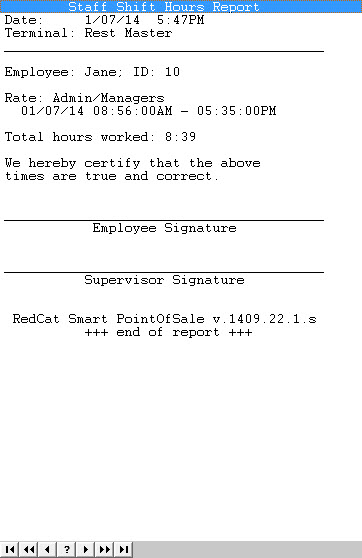
The Shift Hours Report is equivalent to a timesheet. It details: •The employee name; •Assigned Payroll Rate (Polygon Payroll users only); •Shift start/finish time; •Total hours worked; •A space is provided for both the employee and supervisor signature.
Employees can print their shift hours report by following these steps: •From the FOH Logon Screen; •Click on the Clock On/Off button; •Enter their password; •Click on View Shift button; •A list of this staff member's shifts will be shown; •Clicking the Print button •Clicking the Print button
Staff Shift Hours Report
Supervisors may print staff shift hours reports for any POS staff member. See section FOH > Time & Attendance > Managing Shifts for more information on this topic.
|


See Also:
FOH > Time & Attendance > Managing Shifts
FOH > Time & Attendance > Resetting Timesheets
FOH > Entering a Sale - The Product Keypad Screen
FOH > Finalising a Sale - The Bill Settlement Screen
FOH > Closing Procedure - Reconciling and Resetting the Terminal\
Reports > Polygon POS Management > Time and Attendance