POS terminals provide a ‘bundy clock’ feature which allows staff members to record their shift start and finish times by clocking on and off at the beginning and end of their shifts. Staff members are required to clock on and off using their POS Staff password. POS terminals can print reports on the terminal receipt printers which show shift start and finish times with space for the employee and the supervisor to sign them as true and correct. Supervisors may also access the data to verify and make changes should corrections need to be required.
Note: The bundy clock feature may only be used if your POS Terminals are set to use either Multiple – Keypad Based Logon or Multiple – PIN Based Logon as the Single – Cashier mode logon does not return to the log on page for each member to clock on or off. For more information about configuring POS terminal staff logon modes see section Polygon POS Management > POS Terminal Details.
If you have purchased the Polygon Payroll add-on module, this shift information can be used to automatically fill the employee timesheets, calculate annual and sick leave, generate payslips and process payment summaries. For more information about Polygon Payroll see section Polygon Payroll Introduction.
The bundy clock feature can be enabled by ticking the Enable Time & Attendance Tracking at POS setting in the Polygon POS Management Location Settings in Time & Attendance section. See section Polygon POS Management > Location Settings for more information about configuring Polygon POS Management Location Settings.
The Staff Log On page carries a Clock On/Off button which is used for this purpose.
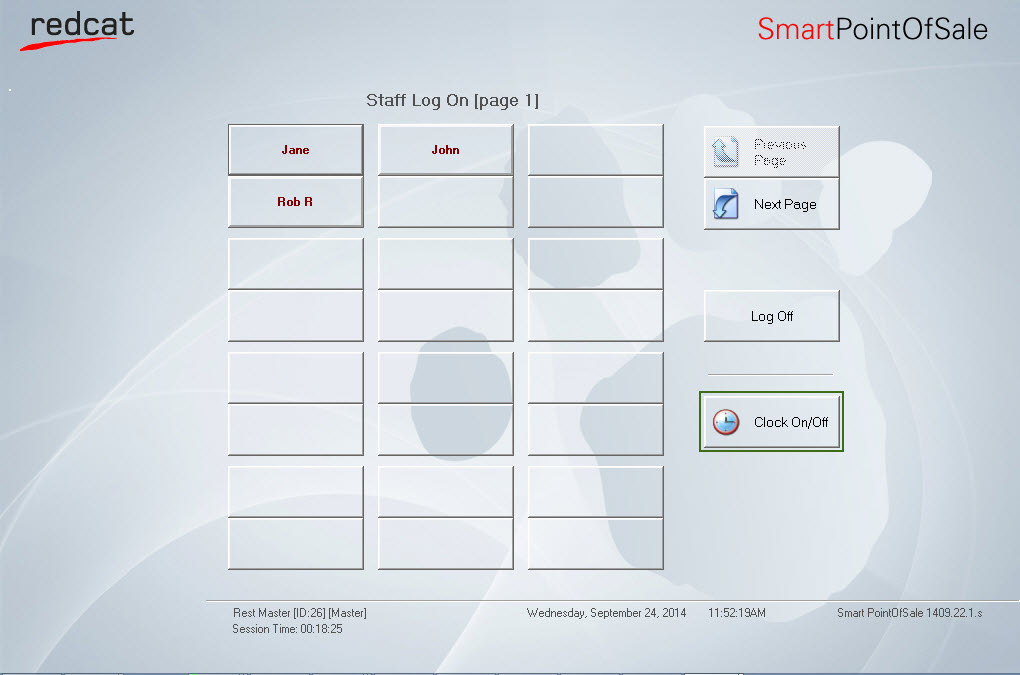
This section describes how to use the Front of House Time and Attendance features. Click a link below for more information about this feature:
See Also:
FOH > Entering a Sale - The Product Keypad Screen
FOH > Finalising a Sale - The Bill Settlement Screen
FOH > Closing Procedure - Reconciling and Resetting the Terminal
Polygon POS Management Introduction
Polygon Back Office Introduction