POS Terminal Settings
These POS Terminal Settings all relate to operation and functionality at the front-of-house for the selected location. Each location is configured separately from this form.
From Polygon POS Management, Access the POS Network File by clicking the POS Network button on the toolbar, Right-click on the POS Location which you wish to configure, Select POS Location Settings from the popup menu which appears, Select which group of settings you wish to configure from the menu tree at the left of the form.
|
|

Default GST Rate This setting is programmed in the Global System Settings Enable Automatic Price Level Changes This setting needs to be enabled if automatic price level changes are to be used (see section Polygon POS Management > Automatic Price Level Changes for more information about automatic price level changes). Notify automatic changes to the Web Customer Ordering server If scheduled price level changes need to be also reflected for web Customer Ordering, ensure that this option is also selected.
|
Locale settings allows for customisation at Polygon POS to suit locations other than the default country code 61 (Australia). These settings should be used in conjunction with global Locale settings.

POS terminal character set - choose the required character set from the drop down list. The [default] is English. Country Code - the country code read from the system registration file and is ready only. States list - enter the list of states, territories or regions required when entering addresses at POS (required for entry of delivery addresses). Each entry must be separated by a | (pipe). eg. AUK|TKI|WGN|HKB|NSN|CAN|OTA|
Note label/value pairs (in ascending order) - enter the label required for each currency NOTE and the value to be assigned (in front of any decimal point) when that button is used. The list should be entered in the format [label]=[value] and each entry must be separated by a | (pipe). eg. $5=5|$10=10|$20=20|$50=50|$100=100 or Rp5000=5000|Rp10000=10000|Rp20000=20000|Rp50000=50000|Rp100000=100000 Note image files - use the select button The image files must be .png with transparent backgrounds and the naming convention is to be bill_[descriptor].png. The files must be resident with the client database directory in the subdirectory \\.....\Images\Currency Images should be 117px x 49px to display correctly at POS.
Coin label/value pairs (in ascending order) - enter the label required for each currency COIN and the value to be assigned when that button is used. If the value trails a decimal point ensure the decimal point is included in the value. The list should be entered in the format [label]=[value] and each entry must be separated by a | (pipe). eg. 10c=.10|20c=.20|50c=.50|$1=1|$2=2 Coin image files - use the select button The image files must be .png with transparent backgrounds and the naming convention is to be coin_[descriptor].png. The files must be resident with the client database directory in the subdirectory \\.....\Images\Currency Images should be 51px x 51px to display correctly at POS.
|
 next to each Note_n to assign the relevant image for that note. Remember notes are in ascending order, so Note_1 is the lowest denomination.
POS Style Management applies to Polygon POS users only. Use the selector to access the POS Style Manager. Choose the POS Interface Style applicable to this location from the drop down list. Use the selector to enter the location of the image you want to include as your logo on the POS (log on screen) in the POS Logo Image Path field. Use the selector to enter the location of the image you want to include as your Loyalty logo on the POS (displays in the Loyalty banner) in the POS Loyalty Logo Image Path field.
To learn about using the POS Style Manager please read this section - POS Style Manager.
|
Logon Screen Banner Mode Choose of the banner should be displayed as: •Notice •Warning
Logon Screen Timeout Override This setting is used if you want to override the user timeout and have the banner appear after a certain amount of time. For example, if the user timeout is set to 60 secs, and you want the banner to appear 5 secs after every sale, you would need to create a logon screen timeout override.
|

 | Quick Service Ordering Mode (QSO Mode) - General |
This setting enables you to use QSO mode and makes the PLU ingredients button active when programming PLU's. For more information about QSO mode, see Quick Service Ordering Mode (QSO) and Entering a Sale using QSO Mode Conversational Ordering Mode Configuration choices are a) POS Driven, or b) Customer Driven. With Customer Driven mode selected the POS will allow entry of the required/optional choices in whatever order they may be delivered by the customer. Note, the items will still be applied to the order and displayed on the POS in the order in which they belong. ie.if the customer asks for (and you enter accordingly) a cheese burger and coke, with apple slaw and BBQ sauce on the burger, the POS will display them in programmed order - cheese burger, BBQ sauce, apple slaw, coke. They will also print or display on kitchen monitors in programmed order.
Required Choices Enforcing Mode (customer driven mode) If Customer-driven mode is selected, you must also set the Required Choices Enforcing Mode. The options available from the drop down are: •Always Enforce •Prompt in QSO Window •Prompt at end of sale only
QSO Instruction Categories Use the pick list button to select the categories that will be available within the QSO screen under the Instructions button. These are instructional items that you want available to be added as options, but that are not actually included in the PLU Ingredient List programmed for the item being entered.
Filter Ingredients In Production Display Jobs This setting only applies to users who are using the Polygon Paperless production application. If this is selected, DEFAULT items will be excluded from the production display screens (ie. required and optional choices, optional ingredients and modified default ingredients only be displayed).
Break Parent Item Entry Chain Links If you enable this setting, keypad category links will be ignored after the QSO build screen is displayed. This setting is only relevant if you have a keypad category that contains a combination of PLU’s that have PLU ingredients programmed (ie. Are using QSO mode) and PLU’s that do not. For items that do not have a QSO ingredients list, keypad category links will remain active.
Enable PLU Ingredient Printing This setting enable the orders or summary list displayed on Kitchen Management System (KMS) production screens to be either the actual PLU or the Production Management items programming in the PLU Ingredients table for that PLU. For example: a Double Beef Burger could be displayed as either: 1 Double Beef Burger (PLU item) or 2 Beef Patties (programmed production ingredients)
Note: To use QSO mode, the Insert New Items at the Selected List Position setting in POS Location Settings > Display > General must be ticked.
See Also: Quick Service Ordering Mode (QSO)
|
|
Enable Bill of Materials Module If you enable this module, you will be able to create a bill of materials matrix which will enable production ingredients printed POS dockets to show the correct measure for each ingredient within a drink, based on the combination of modifications requested by the customer.
Dynamic changes to the materials list printed at POS are dependent on the selection of Optional Choice PLUs in the QSO screen. Refer to Quick Service Ordering Mode (QSO) for further information.
Options Ingredient Measure Prompt Enter the Optional Ingredient Measure Prompt. This will determine what is displayed in the PLU form, Bill of Materials tab when programming. For example: Fill to Line ............
Modifer Name (Vessel Size) Enter the name of the modifier relevant to your business - eg Cup Size, or Serving Size.
See Also: |
POS Root Folder This is the share name or UNC name that is used to share the RedCat directory on the POS Terminal/s. Usually this should be set to "REDCAT".
Synchronise Slave Clocks With Master Terminal's Clock This option is on by default. This ensures that all the POS Terminals in the network are set to the same date and time. Users may uncheck this box to stop the automatic synchronisation if they wish.
|
|
Enable PLU Level Tracking This feature allows the staff members to set the current quantity of PLUs available for a trading session and instructs the POS Terminal software to ‘count down’ as the item is sold. See section Setting POS PLU Levels for more information.
Deny Sales If PLU Level Tracking Balance Is Zero If enabled, when a PLU count down reaches zero, the system will not allow you to sell anymore of these items. If you enable this option, the levels entered need to be as accurate as possible.
Notify PLU Quantity balances to Polygon Customer Ordering Available only for Polygon POS installations: If enabled, POS will update Polygon Central when items are sold or adjusted. This is to facilitate PLU Quantity Level thresholds applicable to enable Low Stock warning, or Sold Out notifications for online, app or kiosk orders. |
These settings allow the POS to correctly interpret a scanned barcode printed from a set of scales that has the PLU number and price embedded in the barcode. Barcode Length - must be 13 F2 - must be 0
The POS will read a printed EAN 13 Standard barocde (a 13 digit barcode beginning with 0). FCCCCCXXXXXXS F = Flag Data (zero) C = PLU number (5 digit maximum) X = Extended Price (without decimal point, maximum price $9,999.00) S = Check digit
Example Barcode: 0002380008959 PLU Number: 238 Price: $8.95
|
Check For Updates Every The POS Terminals continually poll to check if any updates have been received from the Back of House PC (where a LAN connection is in use). You may vary the time delay between polling if desired. Recommended polling interval is 5 – 10 seconds.
Master Terminal Backup Cycle If your system has at least two POS Terminals in one POS Area, you may choose to back up the files of the master terminal to the hard disk of another terminal for safe storage and to minimise delays and lost data in the event of a master terminal failure. The recommended back up interval is 5 minutes for businesses that utilise open tables and accounts, and 30 minutes for over-the-counter style businesses. You will also need to set the Master Backup Mode to ‘Local Area Network’ in the POS Areas file, to activate this process. See section POS Area Details for more information about setting the Master Backup Mode.
Note: Refer to section Front of House > Troubleshooting, for details about restoring the backup, if required.
Age POS Logs Older Than Enter the number of days you wish to keep sales history on the hard drive of the master terminal before automatically purging this information.
|
|
These options allow you to print receipts and production dockets through network printers which are attached to terminals used in another POS area. This option will only be available if you have more than one POS area. Once enabled, you are now required to nominate the terminal which will act as the ‘print server’. The drop down box will display all terminals in this POS location for you to make your choice. This should be the terminal that is most operational, and is therefore always logged on. Select ‘Print POS Area in production dockets’ if this information will be required at a production level. These functions are useful if you have one kitchen supplying orders to different areas.
Enable Cross-Area Printing Cross-Area printing allows you to print receipts and production dockets through network printers which are attached to terminals used in another POS area.
Cross-Area Print Server Select the POS Terminal that will act as the print server and control all the cross-area printing functions.
Use The RedCat Print Manager Enable this setting if you are using ethernet (network) printers. The RedCat Print Manager manages print jobs across the network of POS terminals.
Print The POS Area Name In Production Dockets This setting will add the POS Area name to production dockets.
|
|
Show receipt quantity in separate line - when this option is enabled, rather than printing receipts in the format:
“2 Steak Diane $20.00”
they will be printed in the format
”Steak Diane $20.00" ”Qty 2 @ $10.00 ea”
Print PLU Health Instructions Prints the PLU health instructions that are defined in the PLU update form, on customer receipts. For customer reference/information.
Hide the “OTC” Label In Receipt And Production dockets This option hides the OTC label from receipts and production dockets when sales are finalised as Over The Counter. Note: The OTC label can be useful for identifying which orders are for take-away, since they haven’t been assigned a table number.
Print PLU Class Totals If this option is selected, receipts will show a separate total for each PLU Class of sale items included. For example, Entrée, Main, Beverages will all have a subtotal displayed next to these grouped items.
Print “Tips” Line On Customer Receipt If this option is selected, each receipt issued from the POS Terminal will show the subtotal of the sale, then provide space for the customer to add a tip and total the payment. It can be set to only print on table sales or to print for every sale.
Print Header QR Code If you are using POS printers capable of rendering a QR code and you want a QR code printed in the header section of the customer receipts, you can enable this setting and complete the following configuration. - Bottom Text ((you may have up to two lines of the text that will print immediately below the QR code on the receipt - enter the relevant text separating each line with a | character)
Printer Footer QR Code If you are using POS printers capable of rendering a QR code and you want a QR code printed in the footer section of the customer receipts, you can enable this setting and complete the following configuration. - Bottom Text ((you may have up to two lines of the text that will print immediately below the QR code on the receipt - enter the relevant text separating each line with a | character)

|
Print 'Covers' label If this setting is on the number of 'covers' assigned to the sale will be listed on production output.
Print Order Number on Production Dockets This option prints the line “Order # 1” etc on the top of each production docket. The numbers will increase with each docket and will then reset at a predetermined point and start again from 1. Enter the value at which you want the order numbers to rest in the Reset Folio every field. **For Polygon POS users only** - If you want a folio number to be printed on production dockets when a web order is received, place a tick in the Apply to web orders option.
Split Production Print Jobs (Legacy POS only, Polygon POS users will assign this per peripheral) Enabling this option splits each individual item from one order, onto separate dockets. If someone orders two Berry Smoothies, rather than printing the 2 Berry Smoothies on one production docket, this option will print 1 Berry Smoothie on docket ‘1 of 2’, and 1 Berry Smoothie on docket ‘2 of 2’. This may be useful if you plan to attach the production docket to each individual product.
Wrap Long PLU Names If this setting is enabled when the name of a PLU has more characters than will fit on a single line on the production docket it will not be truncated, instead it will wrap onto the next line of the docket.
Print PLU Recipe Instructions Prints the recipe instructions for the PLUs that are defined in the PLU update form, on the production dockets. This may be useful for assisting in production, and ensuring that one product is always made with the same ingredients.
Print Sale Type header in enhanced mode Enable this setting if the Sale Type needs to be highlighted in the production output.
Stamp Printer ID This function is useful if you have more than one kitchen printer. It is a means of ensuring that kitchen dockets do not ‘cross’ or move into the wrong kitchen production area. If this option is selected the system will include on the bottom of each production docket ‘Tx COMy’ where x is the terminal number the printer is attached to, and y is the com port the printer is connected on. In this way kitchen staff can check to ensure that they are only producing orders which have originated from ‘their’ printer.
Print Payment Status If this setting is enabled, the payment status of unfinalised orders will be included in the header of the production output job. Status will either be UNPAID or PART PAID.
Print Paid Status If this setting is enabled, the payment status of finalised orders will also be included in the header of the production output job. Status will show as PAID.
Tag Production Docket When Items Are Finalised To Wastage This option marks the wastage items that print to the production printer under the heading **WASTAGE** to advise staff that they are not required to ‘make’ the items.
Enable Paperless Kitchen Queue Prioritisation Paperless Kitchen Queue Prioritisation is a function which will assess orders as they issued by POS to the KMS network, prioritise them as defined by Sale Type and/or WMO Provider and/or PLU Category, and release the orders to the network according to the kitchen capacity set below. - Managed queue threshold trigger: This is the capacity of kitchen - what is the maximum number of orders are to be active in the KMS network at one time? - Unmanaged queue threshold limit: This is the number of orders that the queue controller will assess when new orders are to be released to the network - look at the next x orders when assessing which order is to be released next.
To implement Paperless Kitchen Queue Prioritisation you may also need to: Assign Priority to Web Menu Ordering Providers Include Keypad Categories in queue prioritisation Assign a KMS Role as the Queue Controller
Enable Preemptive Printing upon Pay Request If this setting is enabled, dockets will print to production once the POS initiates the payment for the sale rather than waiting to issue the production docket until after the payment has been finalised.
Enable Printer Set Round-Robin Behaviour If this setting is enabled and printer sets are configured, the POS will alternate production dockets between any printers that meets the printer set requirement for the order.
For Polygon POS only, This setting is visible only if the database is NOT licensed for Polygon Customer Ordering. Once enabled, the Keypad Buttons Other - Delay Kitchen Order, and Other - Set Order Pickup Time will be recognised at POS and available for use.
For Polygon POS only, you can now decide if extra spacing is required on either production dockets and/or KMS displays. For Printer or Production Display, choose either: •None - default spacing will apply •Between parents with child items only - designed to make the grouping of parent and child items easily identifiable. •Between all parent items - places a little more vertical space between all items making the whole easier to read.
Enable Live Label Printing If this setting is enabled and printer sets are configured for label printers, the label for each item in an order will print: •as soon as the next item entry is started •when the + button is used to increase the qty of an item •when the sale is saved •when the sale is finalised - Round robin by item (default is by sale) - Prefix modified instructions with change indicator
Generate QR code for each parent If this setting is enabled, label printers are in use and PLU Code Mappings have been programmed, an additional label for each parent drink will print displaying a QR code containing the details of the order including modifications and instructions.
|

The settings in this section will determine the behaviour of your Paperless Kitchen network, and how the Average Wait Times for Sale Types are calculated. The wait time (time to complete the order from the moment it it accepted by POS until it is served off at the Kitchen Controller) will only be reported to Polygon Central and available for Average Wait Time calculations if the Report kitchen performance to Polygon Central setting is enabled. Look-back count - enter the number of most recent orders to be included in average wait time calculations. Look-back period - enter the time period (in minutes) for which the system will include orders in average wait time calculations (ie. orders completed in the last 20 minutes). Refresh data every - enter the time period (in minutes) to refresh the average wait time calculations (ie. refresh data every 10 minutes). Maximum transaction time - enter the completion time (in minutes) for an order at which it is excluded from average wait time calculations. (This will stop orders that miss having their status updated from skewing the average wait time data). Ensure the Restrict calculation to orders eligible for queue prioritisation setting is enabled if you are also utilising queue prioritisation for your paperless kitchen network and only want to include prioritised orders in your average wait time calculations. You can learn more about queue prioritisation here.
Enable Paperless Kitchen In-Progress Sales - if you want real time or 'live' sales enabled for this location, ensure this setting is on. You can learn more about real time production orders here. Enable Paperless Kitchen Updates to Edited Sales - if a sale is recalled at POS and changes made to existing items and/or ingredients these changes will be reflected on the original order listbox if the sale has not yet been served from the KMS.
Enable Intelligent Parking - if you want to utilise the intelligent parking function, ensure this setting is on. You can learn more about Intelligent Parking here. If this setting is not enabled, parked orders at the kitchen screen still be available to recall from a list. You can learn more about the standard parking feature here. Merge cards together for the same sale - if a sale is recalled at POS and additional items added, the new items will be added to the original order listbox if the sale has not yet been served from the KMS. You can learn more about merging cards at KMS here. Sort cards by sale status - this setting needs to be enabled if you want orders to be re-ordered when the payment status of the order changes. Orders will be grouped (in priority order) Paid, Saved, Live and then displayed oldest to newest within each group.
Continuous Flow Enable Production Zones - If you want to utlise Production Zones for this location, ensure that setting is on. You can learn more about Production Zones here. Enable Recalling of served orders - If you want the staff in store to be able to recall a served order to a KMS Role this setting must be on. If this setting is off, staff will be able to view and/or print the order but will not be able to recall it to the active screen. Enable Ready-to-Bag notifications - If you want a Ready-to-Bag notification to be applied to items if the only KMS Role they exist on is the designated kitchen controller, ensure this setting is on. Enable Bag Labels - If you want the ability to print labels to accompany the specific number of bags needed to pack an order, ensure this setting is on. Labels will include Bag Count 1/2, 2/2 etc Bag Label Header - enter the text you want to print on the header of the label (maximum 20 characters). Use Complex Item Labels - it is possible to alter the format of the label slightly. If this setting is enabled the size of the order number is increased, and a command to print a logo is included (the logo will need to be uploaded directly into the printer).
|

|
Tally OTC Covers This option will enable OTC transactions to be counted as covers (1 cover per OTC sale), to facilitate reporting of average transactions and spends. Note: Sales charged to management accounts will not be included in this covers count.
Show Gross Sales On Till Z-Read Report This option will print the gross sales (all till sales exclusive of paid out and management accounts) on the till Z-Read report.
Print KPI Addendum In Z Read Report This option provides the details of Key Performance Indicators, in the Z-Report print out, including transactions and covers totals, void and no-sale totals, and PLU Category Breakdown as below.
Show All Categories Totals In KPI Addendum Displays all specific category totals sold within the KPI addendum.
Enable Contribution Report This option provides an extra reporting function at the terminal, called a ‘Contribution Report’ which is accessible in the Z Sales Reports. The Contribution Report includes details of Sales by Revenue, summaries of Daily Sales, Management Account charges, Promotions, Discount Revenue and Units Sold by Class. It can be run over previous day’s takings or as a weekly report.
Generate CSV exports files If this setting is enabled, a CVS version of the Sales by Hour report will be generated and saved in the \\POS\transfers\csv directory.
Print refunds summary in Z-Read report This option will include the details of refunds entered (PolygonPOS only) on the Z-Read reports.
|
|
For Polygon POS only, this setting instructs the POS that tips are possible and there will be fields to include a tip when processing payments at the POS.
Discretionary Service Charge (DSC) For Polygon POS only, use the line item button to display the Discretionary Surcharge Update Form. This form will enable you to configure the details around when an automatic discretionary service charge should be applied to sales at the POS, and how much.
•Selected Location •Liability Account •Charge Amount | Charge Type •Sale Types •Days Applied •Choose OK to save the form.
You can learn more about Discretionary Services Charges here.
Prompt user before automatically printing receipts. This settings applies to Polygon POS only. Confirming whether the customer wants a receipt before printing reduces unnecessary paper consumption - saving both money and the planet! Please note: Orders will be sent to production prior to this prompt so that production of the order is not delayed if the user does not make a selection. For this setting to apply, the Automatically print receipts when finalising sales setting on the POS terminal must also be ON. See POS Terminal Details
Multiple Settlement mode The Multiple Settlement Mode options are as follows: •None - Selecting this option means that ‘multiple settlement mode’ will not be available on the terminals; that is, there will be no Hold Table or Release Table button in the Pay Screen. •On Demand - When the On Demand option is selected, a ‘Hold Table’ button appears underneath the OK button in the Pay Screen. •Always On - When the Always On option is selected, the user will have to press Release Table at the end of any given table sale, in order for the sale to be finalised and printed for production. For instructions explaining how to use multiple settlement mode see section Front of House > Finalising a Sale For Polygon POS installations, you may choose either On Demand or Always On. Both settings will cause the Add More Items (next customer) button to be available on the payment screen.
Automatically Open User Held Sales on Sale Log On If this option is enabled, the system will recall a held sale by a specific user when they log on. They will not need to use any Recall Held Sale function. This is a feature designed to enhance counter-service capabilities.
Allow Fast Finaliser on Table Sales This option allows the use of programmed fast finaliser buttons to pay off sales which have been entered on a table. If this option is not ticked, the user will need to access the Pay screen to finalise a table account.
Enter Payment Amount in Cents This option means that when entering dollar values on the terminal, the system will automatically assume that the last two digits entered are cents. That is, if you enter ‘1000’ the system will interpret this as $10 and not $1000.
Always Print a Receipt for Paid Out Transactions This will automatically print a receipt when processing a Paid Out transaction at the POS terminal. This can help with record keeping processes.
Always Print a Receipt for Clear Sale (Refund) Transactions This will automatically print a receipt when processing a Clear Sale transaction at the POS terminal. This can help with record keeping processes.
Play a sound upon successful mastercard transaction (Polygon POS only) If enabled, when a mastercard credit card transaction is successfully processed using a Linkly eftpos pinpad integration, the POS will play
Allow Only One Discount Per Sale If this option is selected the terminal will only allow one discount to be entered during the whole sale.
Public Holiday Surcharge Name The name you enter here will be the label used at POS when an automated public holiday surcharge is applied.
Public Holiday Surcharge percent Enter the % amount to be applied as the public holiday surcharge.
Enable Prompt at Sale Settlement If this option is enabled, the POS will display the Round Up For Charity prompt as each sale is finalised. The prompt will not be presented if a 'round up to the nearest $' surcharge is already included in the sale.
Custom Prompt Enter the text you want displayed on the prompt.
Ledger Account Use the button to select the ledger account applicable to Round Up for Charity donations.
|

Enable Bundle Pricing. If this setting is enabled, the Bundle Pricing tab is enabled in the PLU Update Form to allow the programming required for Complex (Item) Bundle Pricing and Programming Complex (Item) Bundle Pricing. Receipt Bundle Value Label The default string which appears on customer receipts, and customer facing displays to list the value of savings due to bundling can be customised by changing this field. For more information please see the section Bundle Value Calculation. Allow Discounts on Bundled Items By default, the system will not allow a discount to be applied to a sale which contains a bundle (as the application of the bundle is essentially already a discount). If you wish to be able to apply a further discount to a sale (perhaps loyalty coupons) ensure that this setting is enabled. Use Bundle Items as Headers in Production Output If you want production output (production printers and KMS devices) to re-order the PLUs in the sale to keep the items in a bundle together, rather than printing to production in the order the PLUs are entered at the POS, turn on this setting. Price-Enabled Bundling Automated bundling will be enabled for any price level which has a tick mark. To disable bundling for a specific price level, remove the tick. See Also the section on Automated Bundling |
|
Password Protect Deletion Of Saved Items If you select this option, the terminal will require the password of a staff member to which you have given the Delete Saved Items privilege (possibly only ‘supervisor’ level employees) before an item which has been saved to a table (and/or sent to production) may be deleted. The deletion will be recorded against the name of the staff member on the Exceptions Report but you will know that a ‘supervisor’ investigated the need for the deletion before it occurred. If you do not select this option, the terminal will allow any staff member to delete a saved item but will still ‘log’ the occurrence against the staff member name on the Exceptions Report.
Password Protect The Application Exit Button If this option is selected the POS Terminal software will require a valid password before exiting the application. Password Protect Management Account Charges If you select this option, only staff members who have been given this privilege will be able to finalise sales to either a client or management account. They will need to enter their password before the command is accepted.
Log Item Deletions Of Non-Saved Sales If you select this option, the system will record when a staff member deletes an item, if the sale has not yet been saved or finalised, but a receipt has been printed for the items. This log will appear as part of the Exceptions Report.
Open Cash Drawer After Each Media Payment This instructs the POS Terminal to open the cash drawer when a sale is finalised, regardless of the media type used. If this option is not selected, the drawer will only kick open for sales finalised with Cash.
Password Protect The "No Sale" Button (Opens Cash Drawer) If you select this option, every staff member will be required to enter a password when using the No Sale button to open the cash drawer.
Enforce User Privileges On "No Sale" Button This option is enabled/disabled from Polygon POS Management Application Settings > Security. If this setting is enabled and the Password Protect the "No Sale" button (above) is also enabled for this location, only POS Staff with the Open Cash Drawer privilege will be able to use the No Sale Button. See Also: Polygon POS Management > POS Staff Details
Override User Privileges When Finalising Sales This setting allows all POS Staff to access the no sale button when they are in the Pay screen, finalising an account even if the Staff member doesn't have the Open Cash Drawer privilege described above. See Also: Polygon POS Management > POS Staff Details
Enable hardened Polygon POS endpoints For PolygonPOS users only. This setting is visible only to the Redcat user, should be applied as a HQ setting and forms part of Redcat's security review and update. When enabled, Polygon POS will switch to endpoints requiring authorisation headers with the HTTPS request.
|
Table Service Status Threshold If a time is specified in this field, active (open) tables will be flagged when no changes have been made to the table for this amount of time. For example, if table 5 ordered drinks 30 minutes ago, and no further items had been assigned to their bill, the table number displayed for Table 5 will turn PINK to suggest they should be seen to or checked on. Note: To disable the Table Service Threshold feature, enter zero minutes in this field.
Hide Table Label On Table Objects Toggles whether tables are labeled with either the word Table and the table number or just the table number. Examples below.
|
|||
|
|
|
|
|
Setting Disabled |
Setting Enabled |
|
Enable Positional Ordering This functionality is only available to those with Polygon POS installations (it does not apply to Legacy POS) and can be used only in conjunction with Table Service sales. Position Ordering allows the allocation of dishes to the customer’s position around the table, and shared plates can be assigned to the table as a whole. The allocation of the seats can be easily entered and modified at the POS, with the information accessible in the production dockets and customers’ receipts. At the end of the meal, customers can split the bill and pay for their allocated plates or the entire table. The share plates can be divided evenly across all seats or split across specific seats. This function If you want to enable this functionality at the POS, ensure this setting is ON. |
|||

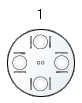
Enable Global Table Floorplans If you have more than one POS area within a location, you may wish to make different floorplan keypads available to all areas. A floorplan is assigned to a certain POS area, so if you enable this option a user may switch between floorplan keypads and effectively areas, at one terminal.
Warn Users When Opening Sales From Foreign POS Areas A staff prompt will appear at the terminal if they are operating a terminal in one POS area and open a table from another area.
Restore Default POS Area On Logon Screen If a floorplan from another area has been accessed, this option will instruct the system to automatically go back to the assigned floorplan keypad. If this option is not enabled, the last floorplan keypad used will be displayed until changed again.
|
| User Prompts - Legacy POS |
Prompt Enter the text which you would like displayed to POS staff either before a sale or after a sale.
Prompt Type Select when the prompt will be presented: •Before Payment •After Payment
Exclusion Triggers This option allows for an exclusion to the sale prompt. The trigger is limited to a programmed button on the keypad. For example, a prompt of “would you like to upgrade your meal” may apply to post-sale. However, an exclusion trigger of “Upgrade Size” would disable the prompt, if the “Upgrade Size” button was already applied during the order. The system will search the items in a sale for the exclusion trigger value. If found the prompt will not appear. Exclusion triggers must match the exact text on a button and be contained in double quotes. Multiple exclusion triggers must be separated by a semicolon and a space. e.g If the following exclusion triggers were entered "Large Drink Upgrade"; "Large Meal Upgrade", the prompt to upgrade orders will not be shown when a large drink upgrade or a large meal upgrade is ordered. This is a system prompt that prompts the user to enter the number of covers when a table is first opened. These figures are then incorporated into KPI reports.
Category Lookup You may select here a category from the category file which will automatically appear each time a new sale is opened. This could perhaps be useful for recording the split between the number of adults and the number of children at each table, or accessing a category which will always be used first such as Table Water.
Logon Screen Banner (ticker tape) If you wish to post a pre-sale banner, (it will remain visible on the staff log on page), enter the banner text in the 'Value' field.
Logon Screen Banner Mode If setup as a 'notice' the banner will appear in green text, while if setup as a 'warning' the banner will appear in red text.
Logon Screen Timeout Override This setting is used if you want to override the user timeout and have the banner appear after a certain amount of time. For example, if the user timeout is set to 60 secs, and you want the banner to appear 5 secs after every sale, you would need to create a logon screen timeout override.
Post-sale User Prompts Ask For Customer Name Before Finalising Sales This option automatically enables the pop up keyboard to appear post sale to enter the customer’s name, for every transaction finalised. The name will then appear at the top of the production docket.
Exclude Table Service Sales Select this if you only want the pop up keyboard to appear post sale for over-the-counter sales.
Ask for Customer Mobile Number (for SMS notifications) Select this if you want the numerical pop up keyboard to appear post sale to collect the customer's mobile number. This setting is for use in conjunction with the Enable Cloud Notifications (SMS) setting in the KMS (Kitchen Management System) to send SMS messages to customers advising their order is ready for collection when the order is 'served' from the KMS device.
This option automatically enables the POS Sale Types list to appear post sale if no Sale Type has already been selected. This ensures that a Sale Type is entered for every transaction finalised. See section POS Sale Type Details for information about disabling certain Sale Types from the list.
Enforce Entry of POS sale type details Selecting this option will ensure that the POS will not allow a sale to be saved without all required details.
Print POS Sale Type Headers at Beginning of Production Docket. This option determines if the POS Sale Type header will be positioned at the top of a production job (default setting) or at the bottom of the docket (if disabled).
|

General Prompt Enter the text which you would like displayed to POS staff either before a sale or after a sale.
Prompt Type Select when the prompt will be presented: •Before Payment •After Payment
Exclusion Triggers This option allows for an exclusion to the pre-sale prompt. Use the pick list button to select from the PLU file any items that will cause the pre-sale prompt to be skipped if found in the sale. Note: Only one of the items selected needs to be found in the sale for the pre-sale prompt wil be skipped. here
This option automatically enables the POS Sale Types list to appear post sale if no Sale Type has already been selected. This ensures that a Sale Type is entered for every transaction finalised. See section POS Sale Type Details for information about disabling certain Sale Types from the list. |
|
End of Business Day Threshold This is the time at which you want the system to recognise the end of your trading day. For example, you might not close until 2am in the morning and each till reset is tagged with the date and time the reset is done. The sales need to be attributed to trading for the previous day. The trading time threshold could be entered as 03.00AM. When you load the reset, the posting date will automatically be entered as the ‘trading’ day, and the data committed into your accounts books using the ‘trading date’.
See Also: Forcing a Sales Reset At The End of Each Trading Day
Enable Automatic Resets If this setting is enabled, at the time specified as the End of Business Day Threshold the POS will perform an automatic and unattended reset. Any open or pending sales will be excluded from the reset, and all media types will be written with the actual amounts matching the system amounts (no variance).
End of Business Scheduled POS Shutdown Time This is the time at which you want to POS terminals to close all applications and shut down.
Run Database Maintenance After Z-Read If enabled, maintenance functions will be applied to the POS database at the successful completion of the trade reset.
Restart Polygon POS application after Z-Read If enabled, the Polygon POS software will automatically close and reopen after a trade reset is successfully performed and uploaded.
Force Z-Read at POS Terminals Before Start of Trading Day This functionality ensures that no sales may be entered on any terminal within the POS network unless a Master Terminal reset has been performed for the previous days’ trade. The system calculates the end of day time using the Trading Time Threshold entered. If there is no time entered as the threshold, the end of day will be deemed to be midnight. If, however, a trading time threshold of 5:00am has been set, the system calculates the previous day to cover the 24 hour period from 5:00am to 5:00am. After resetting the Master Terminal, normal operations resume and trading is allowed again.
See Also: Forcing a Sales Reset At The End of Each Trading Day
Do not allow Z-Read at POS terminals if open sales were found This functionality ensures that all sales are finalised and included in the reset for the day. The POS terminal will not allow the reset to be performed if it finds open sales.
Use Blind Z-Read Balancing If you select this option, no Z-report will be available at the terminal before the POS user re-sets the sales and enters the actual cash amount taken. Also, when this setting is enabled, hourly sales reads will be logged in the Exceptions Report.
This allows an opening and closing cash float to be utilised at the terminal. An opening cash float must be entered the first time this option is used; this float amount is then brought forward to the next time the till needs to be reset. This negates the need to subtract your cash float from your final cash figure at the end of the day.
Enable Cash Drawer Management (Dual Cash Drawers) Cash Drawer Management is a facility which allows an individual staff member to be assigned to a cash drawer. No other staff member will be allowed to finalise sales, nor use the No-Sale key on that terminal. However, “Supervisor” level staff are given the privilege of ‘Cash Drawer Manager’ and may carry out these functions, but the fact that they did so will be logged in the Exceptions Report. The Cash Drawer Manager is required to assign the staff member to the drawer. He/She may obtain Z-read reports for that specific drawer, and must finalise the drawer and log the staff member off. This facility also allows the connection of dual cash drawers to one terminal.
This tickbox indicates whether the cash drawer manager feature is enabled. In this Location Settings form the tick box is read-only and for information purposes only. This setting can be changed from the Polygon POS Management Application Settings - Application Settings > Z-Read General > Enable Cash Drawer Management.
Enable Banking Bag ID Input This setting will instruct the POS to ask for entry of the Banking Bag ID when the reset is performed. Resetting the POS cannot proceed unless an entry is made. The Banking Bag ID entered will be displayed in the Location Sales Log file.
Hide the 'No Variance' Button Enabling this setting will remove the No Variance button when performing the reset at the POS terminal. This means that staff will need to manually enter the ACTUAL values for Cash and other non-integrated media types. The POS will not proceed with the reset without completion of the actual amounts.
Tally Combo PLU Discounts This setting is designed for use with Combo PLUs. For more information see Combo PLUs. If this setting is on, when performing the reset the system will: •Remove the $ value on the combo PLU •Reinstate the original $ value of the items chosen in the combo •Add a discount called 'Combo Discount' to balance the sale. This will be the difference between the sum of the combo items and the price at which the Combo PLU was sold.
For example, with this setting OFF a sale would look like this:
1 3 Protein Ball COMBO @ $6.00 c Hazelnut Pro Ball @ $0.00 c Hazelnut Pro Ball @ $0.00 c Hazelnut Pro Ball @ $0.00
With this setting ON the sale is transformed to this:
1 3 Protein Ball COMBO @ $0.00 c Hazelnut Pro Ball @ $2.60 c Hazelnut Pro Ball @ $2.60 c Hazelnut Pro Ball @ $2.60 1 Combo Discount @-$1.80
|
|
Enable Cash Media Clearances This setting should be enabled if you wish to manage the levels of cash in each cash drawer during trade, cash drawer clearances can be performed to allow excess cash to be removed and accounted for (eg. Moved to a safe).
Cash Clearance Threshold This is the total amount of cash in the drawer required for the system to then prompt the user to perform a cash clearance at the POS Terminal.
Cash Clearance Amount This is the amount of cash that will be set as the default to be cleared at the POS Terminal. This is an optional setting and can be overridden at the POS Terminal.
|
|
These settings relate to the Polygon Payroll and Bundy Clock (shift Clock On/Off) configuration for the selected POS location: •Enable time & attendance tracking at POS - Tick this item to enable the bundy clock for POS terminals at this location; •Time & Attendance Server - When the Clock On/Off feature is in use, one POS terminal must be assigned as a time and attendance server. It is suggested that the most used master terminal is selected because the POS terminal which acts as the time and attendance server must be running when staff clock on or off. •Use terminal based departments - This setting affects users with Multi-Department licenses only. If enabled, when processing payroll, the system will use the department that has been assigned to the POS Terminal rather than the department assigned to the employee. For example, in a location which has a bar area and a restaurant area, where bar POS terminals have been associated with a bar department and restaurant POS terminals have been associated with a restaurant department, expenses for shifts which have been clocked on & off in the bar area will be recorded in the bar department and shifts recorded in the restaurant area will be recorded in the restaurant department. POS terminals can be associated with a department from the POS Terminal Details form. •Allow timesheet resets with open shifts - When setting is disabled, it is not be possible to reset the time and attendance file unless all shifts have both a clock on and clock off time. When this setting is enabled, shifts can be reset even when some shifts do not have a clock off time. Shifts with no clock off time will remain at the FOH until a clock off time has been recorded and the time and attendance file has been reset. See section FOH > Time & Attendance > Resetting Staff Timesheets for instructions explaining how to reset staff time sheets. •Print the timesheet reset report on demand - When this setting is enabled, the timesheet reset report will be available from the FOH at any time. Otherwise the timesheet reset report is only available when resetting the time and attendance file. •Use Work Types - When this setting is enabled, staff shifts can be assigned to a work type at the FOH. This allows the payroll expenses for one employee to be attributed to different ledger accounts depending on their day to day roles. •Round Timesheet Record to the Nearest - Enter the number of minutes you wish the Staff Bundy Clock to round to. For example, 1 minute will simply truncate the seconds of the time the staff member clocks on or off. Rounding to 5 minutes will record a clock on time of 09.00am if a staff member actually clock on at 08.58am. •Timesheet Report Delay - If you have a large number of staff members using the bundy clock facility, it may be necessary to set a delay between each report to ensure that your POS docket printer does not overflow its data buffer.
See Also: Polygon Payroll > Getting Started with Polygon Payroll Polygon Payroll > Using Polygon Payroll
|
See Also:
Polygon POS Management > POS Location Settings
Getting Started with Polygon POS Management
Getting Started with Polygon Back Office